For supporters
Know the moment they start a heads-up
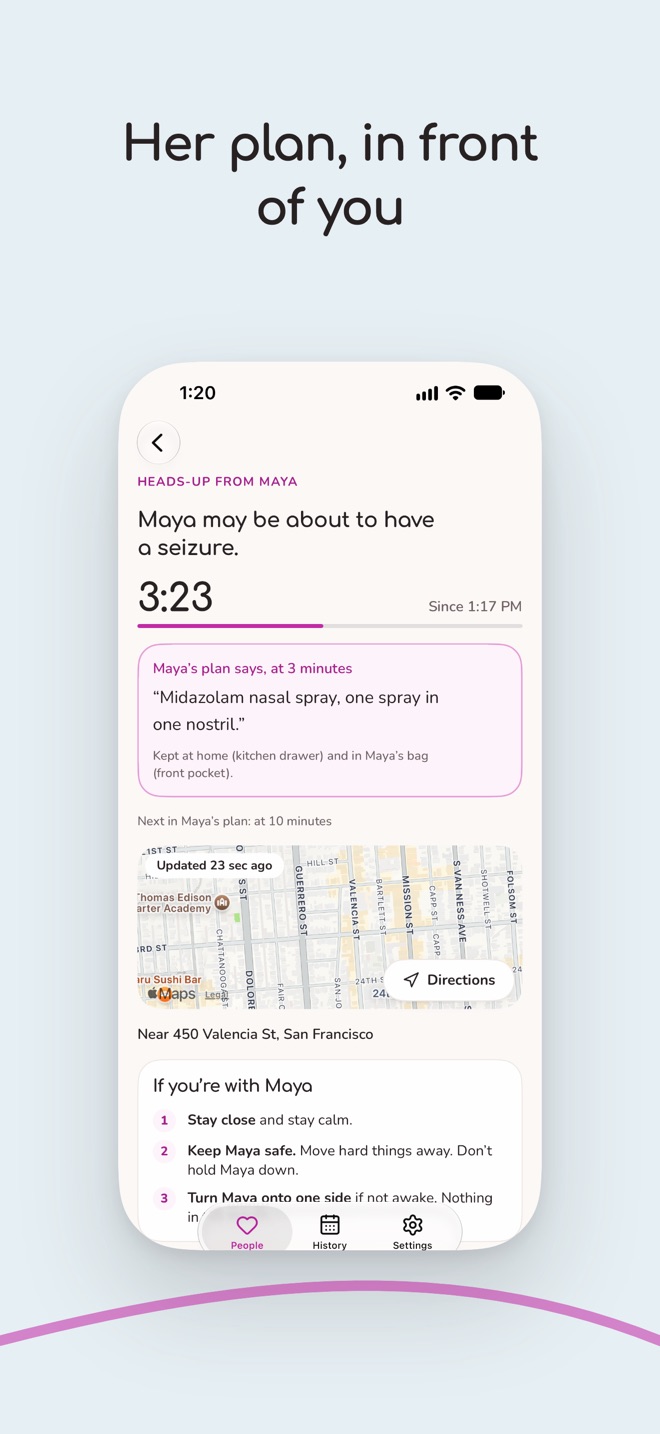
When someone you support starts a heads-up in Herald, you see it at once on your iPhone, iPad, Apple Watch, Mac or Apple Vision Pro, with what helps and their plan.
Herald is free for supporters.
How you join
They send you a link
From Herald, by message, email or however they like. It's for you alone.
You open it on your iPhone
Herald opens, or the App Store does if you don't have it yet. You say who you are to them.
They say yes
They tap Allow on their side, and from then on Herald waits quietly until they need it.
During a heads-up
- A Time Sensitive notification, then a card on your Lock Screen with a timer
- Their plan, step by step: what helps and when to call for help
- Where they are, if they chose to share it, only while the heads-up lasts
- When it's over, or if they started it by mistake
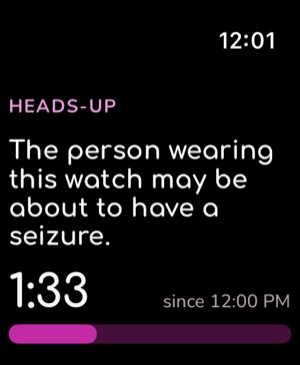
On your Apple Watch too, so you know without reaching for your phone.
What Herald doesn't do
Herald never calls anyone and never contacts emergency services. If their plan says it's time to call, you call. For an emergency, call your local emergency number.
- It doesn't show you their log, only what they share: heads-ups, their plan and where their rescue kit is
- It doesn't follow where they are between heads-ups
- Everything they share is sealed, so only your devices can read it
First aid, ready when you are
Herald for supporters has the first-aid steps from the CDC and the Epilepsy Foundation, and a practice now and then, so a real heads-up feels familiar.
Supporting more than one person
Each person you support has their own page in Herald, with their own plan, and you can step away from one at any time.